
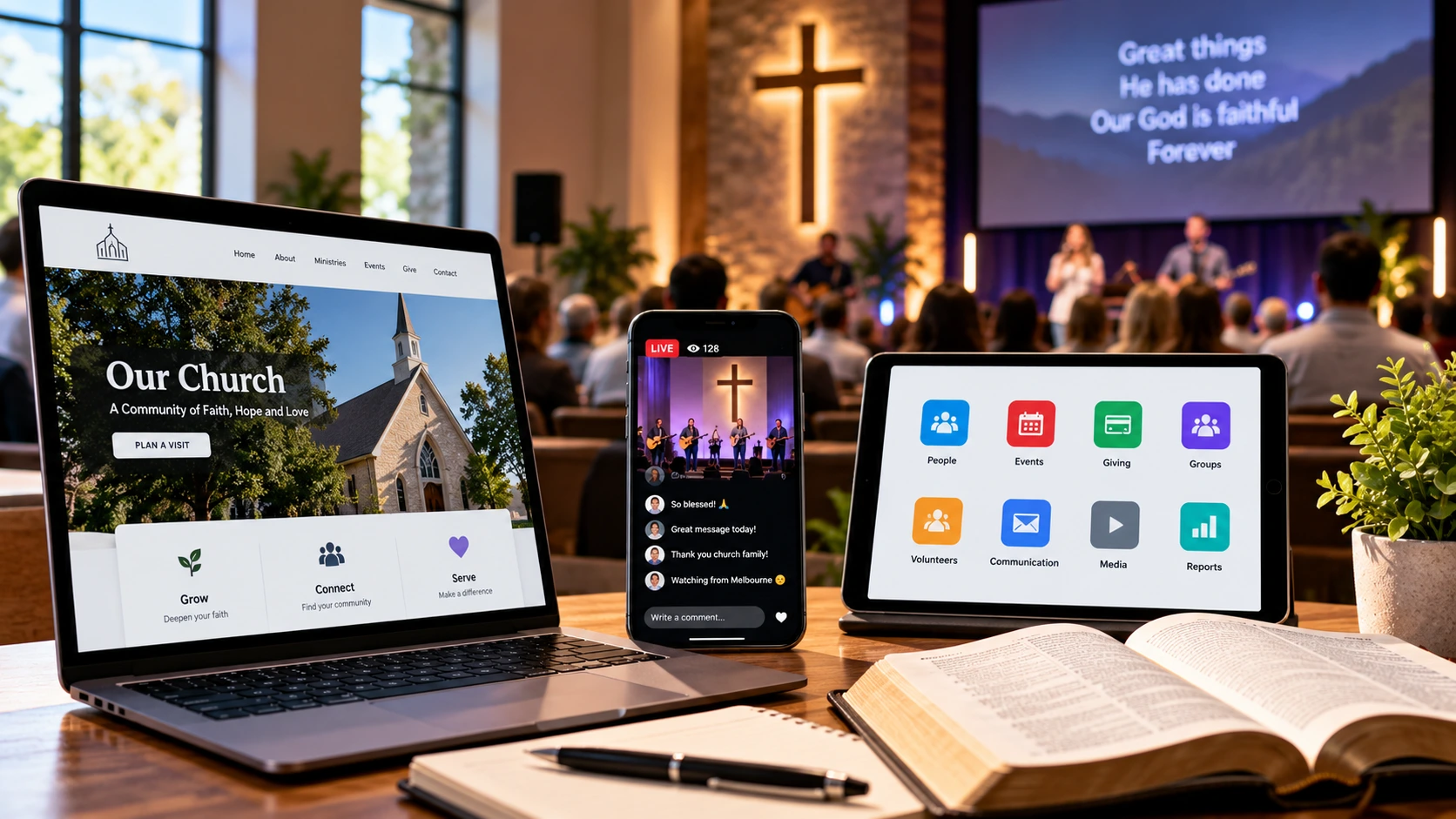
7 Smart Church Technology Solutions for Modern Ministry

7 Smart Church Technology Solutions for Modern Ministry
Technology has become an important part of everyday church life. From managing volunteer rosters to livestreaming Sunday services, digital tools can help congregations communicate clearly, reduce administrative work and connect with people beyond the church building.
However, adopting new software does not automatically improve ministry. The most effective church technology solutions are those that respond to genuine needs, support meaningful relationships and remain manageable for staff and volunteers.
For Australian churches, choosing the right technology also involves considering accessibility, privacy, cybersecurity, costs and the different levels of digital confidence within a congregation.
A small regional church may need an affordable website and a simple communication system. A larger metropolitan congregation might benefit from integrated administration, online giving and volunteer management tools.
Whatever your church’s size, the goal is the same: use technology to support people rather than allow complicated systems to distract from ministry.
Here are seven practical church technology solutions that can strengthen communication, improve operations and support sustainable digital ministry.
1. Build a Professional and Accessible Church Website
A church website is often the first place someone visits before attending a service.
People may be looking for worship times, directions, children’s programmes, community activities or information about what to expect on their first visit.
If these details are difficult to find, potential visitors may leave without making contact.
A well-organised website is therefore one of the most valuable church technology solutions for both established congregations and growing ministries.
Essential features of an effective church website
- Clear service times and church location.
- Mobile-friendly navigation and page layouts.
- Accurate contact information and directions.
- A welcoming introduction for first-time visitors.
- Information about children’s and youth ministries.
- Upcoming events and community programmes.
- Accessible text, images and navigation.
- Secure contact forms and privacy information.
Churches should prioritise usability over complicated visual effects.
For example, a visitor should be able to find the Sunday service time within a few seconds of opening the homepage.
Improve your church website’s SEO
Search engine optimisation helps search engines understand your website and can make relevant information easier to discover.
Useful practices include writing descriptive page titles, using logical headings, publishing genuinely helpful content and keeping location information accurate.
Churches should also optimise image sizes, maintain secure HTTPS connections and ensure important pages work well on mobile devices.
For churches serving specific suburbs or regional communities, accurate local information is particularly important.
Google provides practical guidance through its Search Central SEO Starter Guide.
An effective website does more than advertise services. It gives people a reliable starting point for connecting with your church.
2. Use Church Management Software to Simplify Administration
Church administration can involve membership records, volunteer schedules, event registrations, pastoral contact information and financial processes.
Managing everything through separate spreadsheets, paper forms and individual email accounts can create confusion as a congregation grows.
Church management software can help organise appropriate information and streamline routine responsibilities.
Common church management software features
Contact management: Maintain relevant congregation and ministry contact details.
Volunteer rostering: Coordinate service teams, availability and responsibilities.
Event registration: Manage attendance and communication for church activities.
Ministry coordination: Organise teams, programmes and schedules.
Reporting: Review appropriate administrative information to support planning.
Permissions: Restrict access to sensitive records according to responsibilities.
However, more features do not necessarily mean a better system.
Before purchasing software, leaders should identify which administrative problems need solving.
A small church may find that a secure shared calendar and basic volunteer management tool are sufficient.
A larger church might require more advanced software with role-based permissions and integrations.
Questions to ask before choosing a platform
- Is the system easy for volunteers to learn?
- Can access be limited according to staff responsibilities?
- Where is information stored?
- What are the ongoing subscription costs?
- Can data be exported if the church changes providers?
- Does the provider offer suitable security and support?
- Will the platform work with existing church processes?
Churches should also review their privacy responsibilities before transferring personal information into a new system.
The Office of the Australian Information Commissioner provides information about Australian privacy requirements and good information-handling practices.
Choosing appropriate church technology solutions can reduce administration while allowing leaders to spend more time supporting people.
3. Improve Worship Services With Reliable Livestreaming Technology
Livestreaming can help churches remain connected with people who cannot attend in person.
This may include members who are unwell, older adults with mobility difficulties, people travelling or those exploring a congregation before visiting.
A successful livestream does not necessarily require expensive equipment.
For many churches, reliable sound and a stable internet connection are more important than elaborate camera setups.
Essential church livestreaming equipment
- A suitable camera or smartphone.
- A stable internet connection.
- Clear audio from microphones or a sound system.
- Appropriate lighting.
- A computer or streaming device where needed.
- A suitable streaming platform.
- A volunteer who understands the setup.
Prioritise audio quality
People may tolerate a modest video image, but unclear audio can make a service difficult to follow.
Test microphone levels, music balance and spoken audio before the service begins.
Where possible, assign someone to monitor the livestream independently of the main sound desk.
Consider privacy and copyright
Churches should think carefully about filming congregation members, particularly children and people receiving pastoral support.
Use appropriate notices, permissions and camera positioning.
Livestreaming worship music may also involve copyright licensing requirements that differ from those applying to in-person services.
Check the relevant permissions for songs, recordings, lyrics and other protected materials before broadcasting.
The Australian Copyright Council provides educational information about copyright in Australia.
Livestreaming works best when it extends the church’s ministry rather than becoming a substitute for meaningful personal connection.
4. Make Church Communication More Effective With Digital Tools
Clear communication helps congregation members, volunteers and ministry leaders stay informed.
Without a consistent system, important information can become scattered across text messages, emails, social media accounts and informal conversations.
Digital communication tools can help churches share updates efficiently while respecting people’s preferences.
Useful communication channels
Email newsletters: Share service information, upcoming events and ministry updates.
Shared calendars: Coordinate church activities and volunteer responsibilities.
Messaging platforms: Support appropriate team communication and quick operational updates.
Church websites: Provide a reliable location for public information.
Online registration forms: Simplify event sign-ups and volunteer enquiries.
Video meetings: Help leaders connect when meeting in person is difficult.
Avoid communication overload
Using too many platforms can make church communication less effective.
A volunteer should not need to check five different apps to discover when they are rostered for Sunday.
Choose a small number of reliable communication channels and explain their purpose.
For example, a church might use email for official updates, a shared calendar for schedules and a dedicated messaging group for urgent volunteer coordination.
Sensitive pastoral information should not be casually shared through general group chats.
Churches should also offer suitable alternatives for people who do not use smartphones or social media.
Good communication is inclusive, consistent and easy to understand.
For practical guidance on coordinating ministry teams, read Building a Strong Church Team.
5. Introduce Secure and Convenient Online Giving
Digital giving can provide congregation members with an additional way to support church ministry.
People may prefer bank transfers, scheduled contributions or secure online payments instead of carrying cash.
However, churches should introduce online giving carefully and avoid creating unnecessary financial or privacy risks.
Features to look for in an online giving system
- Secure payment processing.
- Clear information about transaction fees.
- Straightforward donation instructions.
- Appropriate financial reporting.
- Accessible mobile payment options.
- Transparent information about how funds are used.
- Reliable administrative controls.
Churches should use established payment providers and avoid collecting or storing card details unnecessarily.
It is also important to explain whether donations are tax deductible rather than assuming all contributions qualify.
Australian tax treatment depends on the recipient organisation and the nature of the donation.
The Australian Taxation Office provides information about deductible gift recipients and donation rules.
Maintain financial accountability
Online giving should fit within the church’s existing financial governance processes.
Appropriate people should oversee transactions, review reports and reconcile financial records.
Churches registered as charities can consult the Australian Charities and Not-for-profits Commission for relevant governance and financial management guidance.
Online giving should remain an option, not a requirement that excludes people who prefer other appropriate methods.
The purpose of financial technology is to support responsible stewardship and make giving convenient for those who choose to participate.
6. Protect Church Data With Strong Cybersecurity Practices
Cybersecurity is an essential consideration for modern church technology solutions.
Churches may hold personal information about members, volunteers, children, donors and people seeking pastoral assistance.
Even a small congregation can face risks from phishing emails, stolen passwords, compromised accounts or accidental information sharing.
Strong security practices do not need to be complicated, but they do need to be consistent.
Seven practical cybersecurity habits
- Use strong, unique passwords. Avoid sharing passwords between staff and volunteers.
- Enable multi-factor authentication. Add an extra layer of protection to important accounts.
- Keep software updated. Apply security updates to websites, devices and applications.
- Limit account access. Give users only the permissions they need.
- Back up important information. Maintain protected backups and test recovery procedures.
- Train volunteers to recognise scams. Explain how to identify suspicious links, attachments and payment requests.
- Create an incident-response plan. Establish who should be contacted if an account or system is compromised.
The Australian Cyber Security Centre provides practical guidance for improving cybersecurity.
Protect sensitive church information
Personal information should only be collected when there is a legitimate need.
Churches should consider how records are stored, who can access them and when information should be securely deleted.
Information relating to children, pastoral care and sensitive personal circumstances deserves particular attention.
Church leaders should review applicable Australian privacy and safeguarding obligations rather than assuming that all religious organisations have identical legal responsibilities.
Secure digital systems help protect both church operations and the people who place their trust in the organisation.
7. Explore AI and Automation With Care
Artificial intelligence and automation are becoming increasingly accessible.
Some digital tools can assist with routine tasks such as preparing administrative summaries, organising schedules, generating first drafts and improving website accessibility.
These capabilities may be useful for churches with limited administrative resources.
However, AI should support human judgement rather than replace pastoral responsibility, theological reflection or meaningful relationships.
Practical uses of AI in church administration
Event planning: Draft a basic event checklist for staff to review.
Communication: Prepare an initial newsletter or announcement that a leader can edit.
Accessibility: Help simplify complicated public-facing information.
Administrative organisation: Summarise non-sensitive meeting notes with appropriate approval.
Content planning: Suggest topics for church articles, training materials or public information pages.
Volunteer coordination: Assist with routine scheduling where suitable systems and safeguards are in place.
Important precautions for churches using AI
Churches should not enter confidential pastoral conversations, private member records or sensitive children’s information into general-purpose AI services without appropriate safeguards and a lawful basis.
AI-generated material can also contain factual mistakes, misleading references or inappropriate suggestions.
Any material intended for public communication should be reviewed by a responsible person.
Sermons, theological teaching and pastoral guidance require particular care because accuracy, context and personal responsibility matter.
AI should never be treated as a replacement for qualified professional advice in medical, legal, safeguarding or mental health matters.
The Australian Government’s AI information and resources offer a starting point for understanding responsible AI use.
The most effective approach is to experiment carefully, establish clear boundaries and evaluate whether a tool genuinely improves ministry operations.
How to Choose the Right Church Technology Solutions
With so many digital platforms available, churches can easily spend money on tools they do not need.
Before introducing new software or equipment, start by identifying the problem.
For example, if volunteers frequently miss roster updates, the church may need a better scheduling process rather than a complete technology overhaul.
If visitors struggle to find service times, improving the website may be more valuable than launching a new mobile app.
Five questions before investing in church technology
1. Does it solve a genuine problem?
Avoid purchasing technology simply because another congregation uses it.
2. Can our team manage it?
Consider training requirements, volunteer availability and ongoing maintenance.
3. Is it financially sustainable?
Account for subscriptions, upgrades, support and replacement costs.
4. Is it secure and accessible?
Review privacy protections, user permissions and accessibility features.
5. Does it support our ministry priorities?
The system should make meaningful work easier rather than add unnecessary complexity.
Churches can also seek feedback from staff, volunteers and congregation members before making significant changes.
A Practical 90-Day Church Technology Improvement Plan
Introducing multiple new systems simultaneously can overwhelm a ministry team.
A gradual approach allows leaders to identify priorities, test solutions and make adjustments.
Days 1–30: Review your existing systems
Assess the church website, communication channels, administrative tools and security practices.
Ask volunteers which processes create the most confusion.
Identify outdated software, duplicated work and important information that is difficult to access.
Days 31–60: Implement two priority improvements
Choose a small number of achievable changes.
For example, update the website’s visitor information and enable multi-factor authentication on important accounts.
Assign responsibility for each improvement and provide appropriate training.
Days 61–90: Evaluate and refine
Ask whether the changes have made tasks easier.
Review costs, reliability, accessibility and feedback from the people using the systems.
Document procedures so future volunteers can maintain the improvements.
This approach allows churches to strengthen their digital capabilities without unnecessary disruption.
Common Church Technology Mistakes to Avoid
Technology can create new problems when it is introduced without clear planning.
One common mistake is investing in expensive software before understanding the church’s needs.
Another is depending on a single volunteer who knows how everything works.
If that person becomes unavailable, essential systems may be difficult to operate.
Other mistakes include:
- Neglecting website and software updates.
- Using weak or shared passwords.
- Failing to back up important information.
- Collecting unnecessary personal data.
- Overlooking accessibility requirements.
- Introducing too many communication platforms.
- Failing to train volunteers.
- Relying on AI-generated information without review.
Churches should also remember that digital engagement cannot replace the value of face-to-face care and community.
The goal is to use technology thoughtfully, with people and ministry at the centre.
Church Technology and Accessibility
Accessibility deserves attention across every digital ministry system.
A church website may look attractive but still be difficult to use for people with vision, hearing, mobility or cognitive disabilities.
Practical improvements include clear headings, readable text, keyboard-friendly navigation, meaningful image descriptions and captions for relevant video content.
The Web Content Accessibility Guidelines (WCAG) provide internationally recognised guidance for accessible web content.
Churches should also consider people with limited internet access or low digital confidence.
Offering printed information, telephone contact and in-person assistance can help ensure technology does not create new barriers to participation.
Inclusive church technology solutions make ministry information easier to access for more people.
Frequently Asked Questions About Church Technology
What are the best church technology solutions?
Useful church technology solutions include accessible websites, church management software, livestreaming equipment, communication platforms, online giving systems, cybersecurity tools and carefully managed AI applications.
How can small churches use technology affordably?
Small churches can begin with essential tools such as a mobile-friendly website, secure email, shared calendars and basic livestreaming equipment. Free or low-cost options may be suitable when they meet security and operational needs.
Why is church management software important?
Church management software can help organise appropriate contact records, volunteer rosters, event registrations and administrative processes. The right system can reduce duplicated work and improve coordination.
How can technology help churches reach more people?
Technology can make service information easier to find, support online communication, provide access to livestreamed services and help churches share relevant community activities.
Is AI suitable for church ministry?
AI may assist with routine administrative and communication tasks when used responsibly. Church leaders should review its outputs, protect confidential information and retain human responsibility for pastoral and theological decisions.
What cybersecurity measures should churches prioritise?
church technology solutions should use unique passwords, multi-factor authentication, regular software updates, secure backups, limited account permissions and basic cybersecurity training.
Should every church offer livestreaming?
Not necessarily. Livestreaming can be valuable when it serves the congregation’s needs, but churches should consider equipment, volunteer capacity, privacy, copyright and ongoing costs before introducing it.
Final Thoughts
church technology solutions can help churches communicate more effectively, organise ministry responsibilities and connect with people who may otherwise find participation difficult.
However, successful digital ministry is not measured by the number of platforms a church uses.
The best church technology solutions are secure, accessible, affordable and genuinely useful to the people who depend on them.
For Australian congregations, thoughtful technology decisions should balance innovation with privacy, responsible governance, volunteer wellbeing and personal connection.
Start with your church’s most important needs, introduce practical improvements gradually and review their impact.
When used wisely, technology can support a stronger, more organised and more welcoming church community.
Discover more practical guidance for pastors and ministry teams in Church Leader Magazine’s latest articles.
